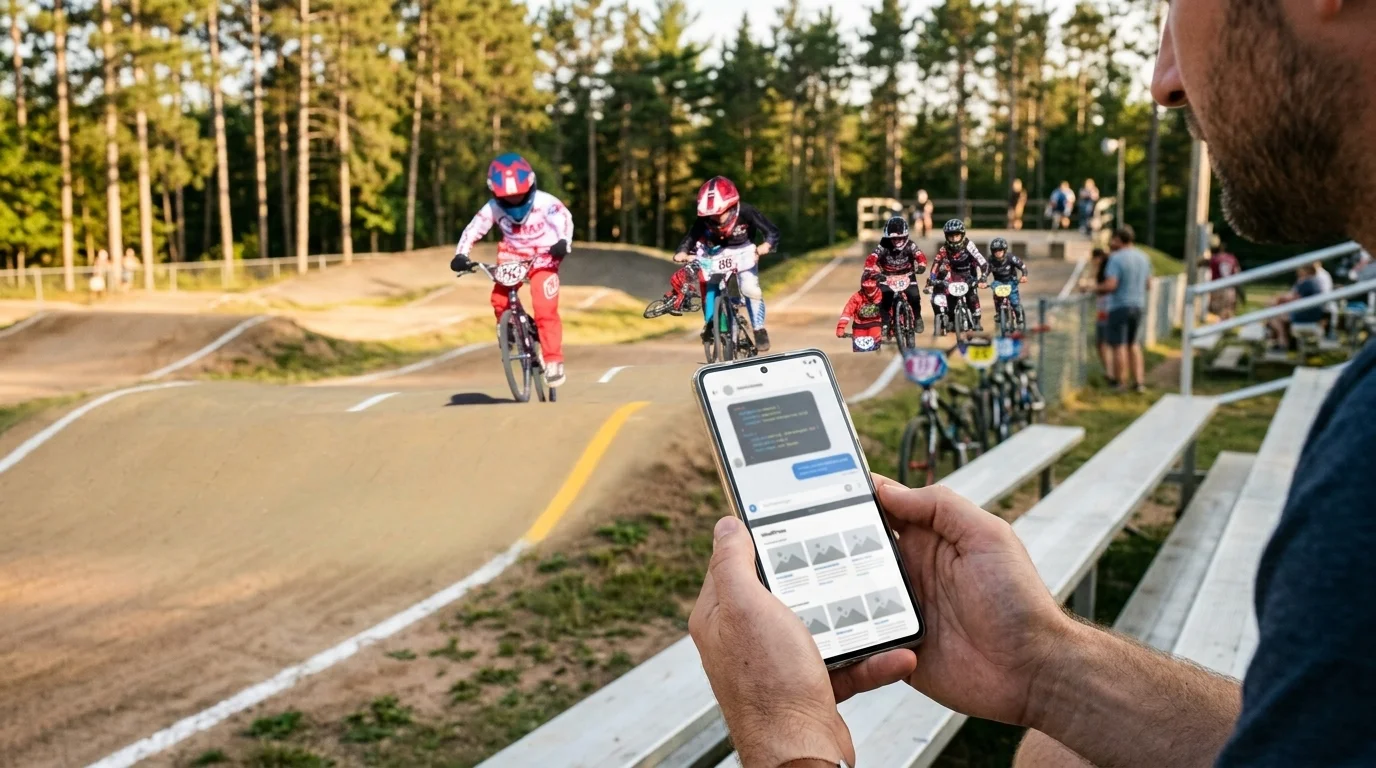
Claude Code Remote Control changed where I work, and I found out at a BMX track in Rhinelander, Wisconsin. My son had just transferred into the main event at the BMX Gold Cup Finals, which meant hours of waiting. He spent them riding laps to stay warm and ready to race. I spent them building my new WordPress plugin from my phone.
No laptop bag. No folding table. No hunting for a signal strong enough to push a commit. Just me, a Pixel, and a kid on a bike. This is not a feature review. It is a report from the other side of a habit I did not know I could break.
Working From Home Was Still Working From a Desk
For most of my career, working remote meant one thing. It meant moving the desk. You traded the office desk for a desk at home, and when the house got too quiet, you packed the laptop and went looking. A coffee shop. A library. The car dealership waiting room, because they had free Wi-Fi and a coffee machine.
Some people built a home office. Some people lived at Starbucks. And some people worked from the dealership while their oil got changed. All three were chained to the same thing, because the computer needed a table, an outlet, and a connection. The work went wherever the computer went.
I once wrote a whole post about what was on my desk. I was proud of that desk. But I had it backwards. Remote work was never about the house. It was about the chair.
What Claude Code Remote Control Actually Does
Claude Code Remote Control connects the Claude app on your phone to a Claude Code session running on your own computer. Nothing moves to the cloud. The session runs on your machine the entire time, and your phone is a window into it. That detail matters more than anything else in this post.
Because everything I have set up locally comes with me. My project files, my git repo, my MCP servers, and my tools are all right where I left them. I am still working on my MacBook. I am just not sitting in front of it. Here is the whole stack:
- A MacBook running iTerm
- Claude Code on the command line
- Git, with the repo on Bitbucket
- A Local WordPress site for the plugin
- A Pixel 9 Pro XL in my pocket
Nothing exotic. You probably own most of it already. Getting started is one command. Run claude remote-control in your project folder, or type /rc inside a session you already have open. Then connect from the Claude app on your phone. Anthropic’s Remote Control docs cover the rest, and they are short.
Local’s Live Links Close the Loop
Talking to Claude from the bleachers is only half of it. The other half is seeing what it built. Local has a feature called Live Links that gives your local WordPress site a URL you can open from anywhere. It was built so you could show clients your progress before a site goes live. I use it to show myself.
So when Claude changes my plugin, I do not take its word for it. I open the Live Link on my phone and look. Sometimes I check a test page I already set up, and sometimes I build a new one right there in the editor. Trust the code. Verify the page.
My Claude Code Remote Control Loop Fits in Six Steps
- Open Claude on my phone.
- Talk. I do not type. I hit the mic and say what I want.
- Discuss. We go back and forth until the plan is right.
- Claude builds and applies the fix to the plugin.
- I check the work on the Live Link.
- If I like it, we commit. If I do not, we keep working.
That is the whole workflow. Claude Code Remote Control carries the conversation. Local carries the preview. Git carries the history. And that last step is not a formality. Git is where my project history lives, and it is where my AI context lives too. I wrote about why that context belongs in git, and this is the payoff. When I pick the work back up at my desk, nothing is lost.
People ask me how much faster this is. Wrong question. Speed is not the point. Friction is. When the friction goes away, the work just happens. So I use this all day, at races, at my son’s practice, and on a run to the store. Anywhere I would normally be stuck waiting, I can work.
The work does not stop because I stood up.
I Stopped Typing in 2017. Now I Stopped Sitting.
Back in 2017 I wrote about how I quit typing my blog posts. I talked into my phone and let voice-to-text do the heavy lifting. But that post had an honest catch in it. I admitted I would eventually have to get back on the computer to add links, add images, and finish the job.
That catch is gone. The same microphone I used to dictate blog posts now directs code. I talk, Claude builds, I review, and we commit. The computer still does the work. I just do not have to babysit it from a chair. Voice was never the hard part. The desk was.
Here Is What Claude Code Remote Control Cannot Do Yet
Here is the honest part. Claude Code Remote Control is not magic, and I would be lying if I sold it to you that way. The big gap is wp-admin. If your new plugin has dashboard settings, Claude can write the code that builds the settings page. It cannot walk into your dashboard and flip those settings for you. Not until you give it the ability to.
That is exactly what the WordPress Abilities API is for. Register abilities for the jobs you want Claude to handle, expose them through the MCP adapter, and Claude can do the work directly. It is the same capability-first approach to the agentic web I keep pushing. Until you set that up, the dashboard is still your job.
Then there is the practical stuff. Your computer has to stay on. The Claude Code process has to keep running. Local has to be open with the site started, or the Live Link goes dark. If the machine sleeps, Claude Code reconnects when it wakes up, but nothing gets built while it sleeps. None of that is a dealbreaker. It is a checklist.
Anyone Can Work This Way
Claude Code Remote Control is not a developer trick. Picture the freelancer who builds sites for local restaurants and spends every Saturday at a youth soccer field. Or the plugin author with a day job and a lunch break. Or the site owner who is tired of hunting for a café with a free outlet. If you can talk into your phone and you know what you want built, you can work this way.
And if you are one of my clients, here is what it means for you. When something breaks on your site, I do not have to be at my desk to start fixing it. I still have a desk, and I still use it. But a desk is not a requirement anymore. It is a choice.
Life is swell. My son raced. I built. Neither of us sat still.